
Virtual try-on for Shopify,
before you pay for motion.
Videlia fits a garment from your Shopify catalogue onto an AI model and returns a still image for one credit. Check the fit, the drape and the model before spending three credits on a video.
What does virtual try-on actually do?
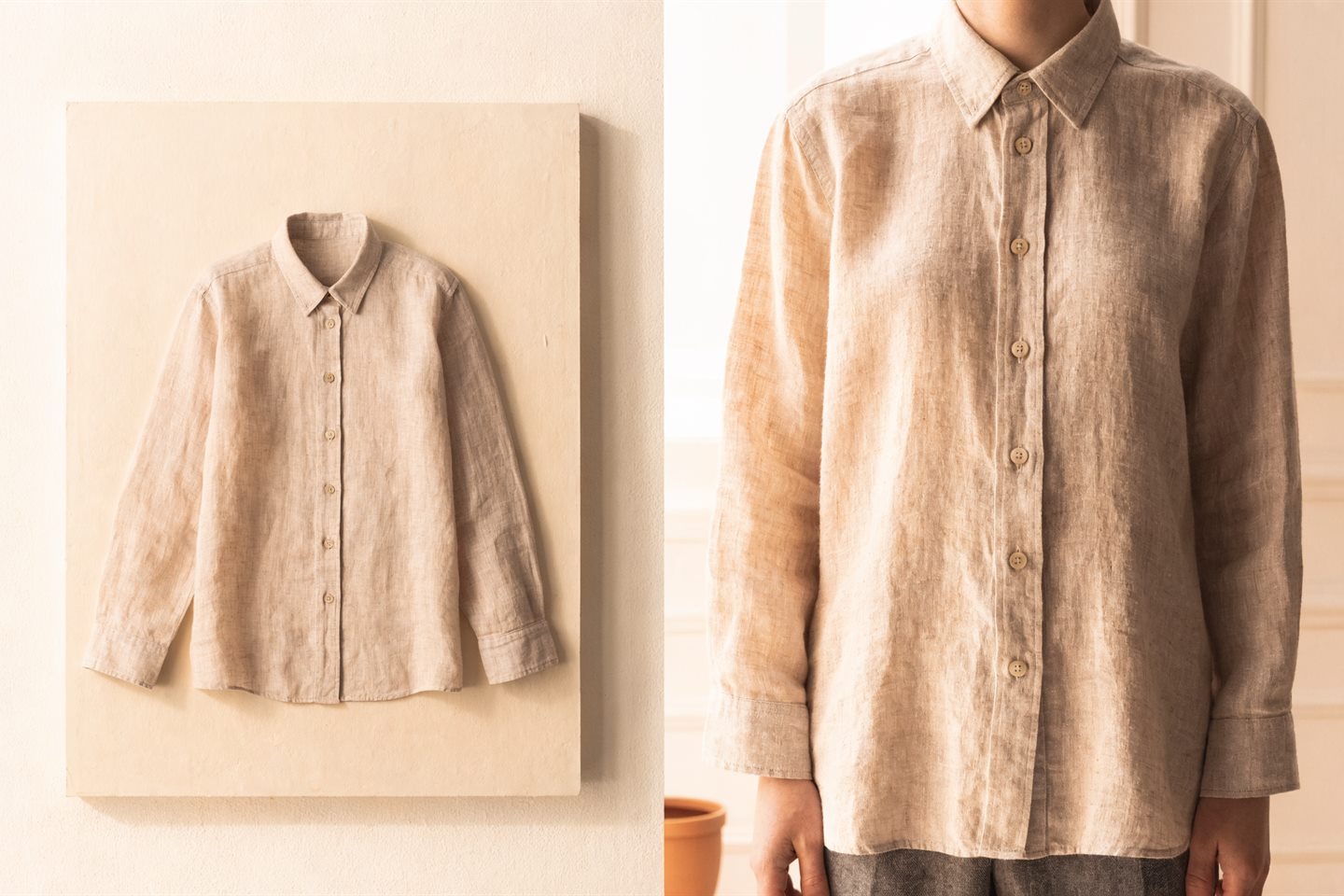
Virtual try-on generates an image of a garment worn on a body, from a photograph of the garment on its own. You do not photograph anything on a person. You give it the flat lay or hanger shot you already have, choose who wears it, and it returns a still of that garment on that model.
That still is the cheapest useful thing Videlia makes. It costs 1 credit, against 3 for a five-second video and 6 for a ten-second one. On the free plan's ten credits a month, that is ten try-on stills, or three videos.
Why generate the still before the video?
Because a video inherits every mistake the still made, and costs three times as much to find out. If the collar is wrong on the still, it is wrong for five seconds in the video. Generating the still first turns a 3-credit gamble into a 1-credit check.
The things worth looking at, in order: the collar or neckline, the button count and spacing, where the hem lands, the print scale across the body, and whether the fabric falls the way the real garment does. If those are right, the video built from it will be right.
What kind of photo do you need?
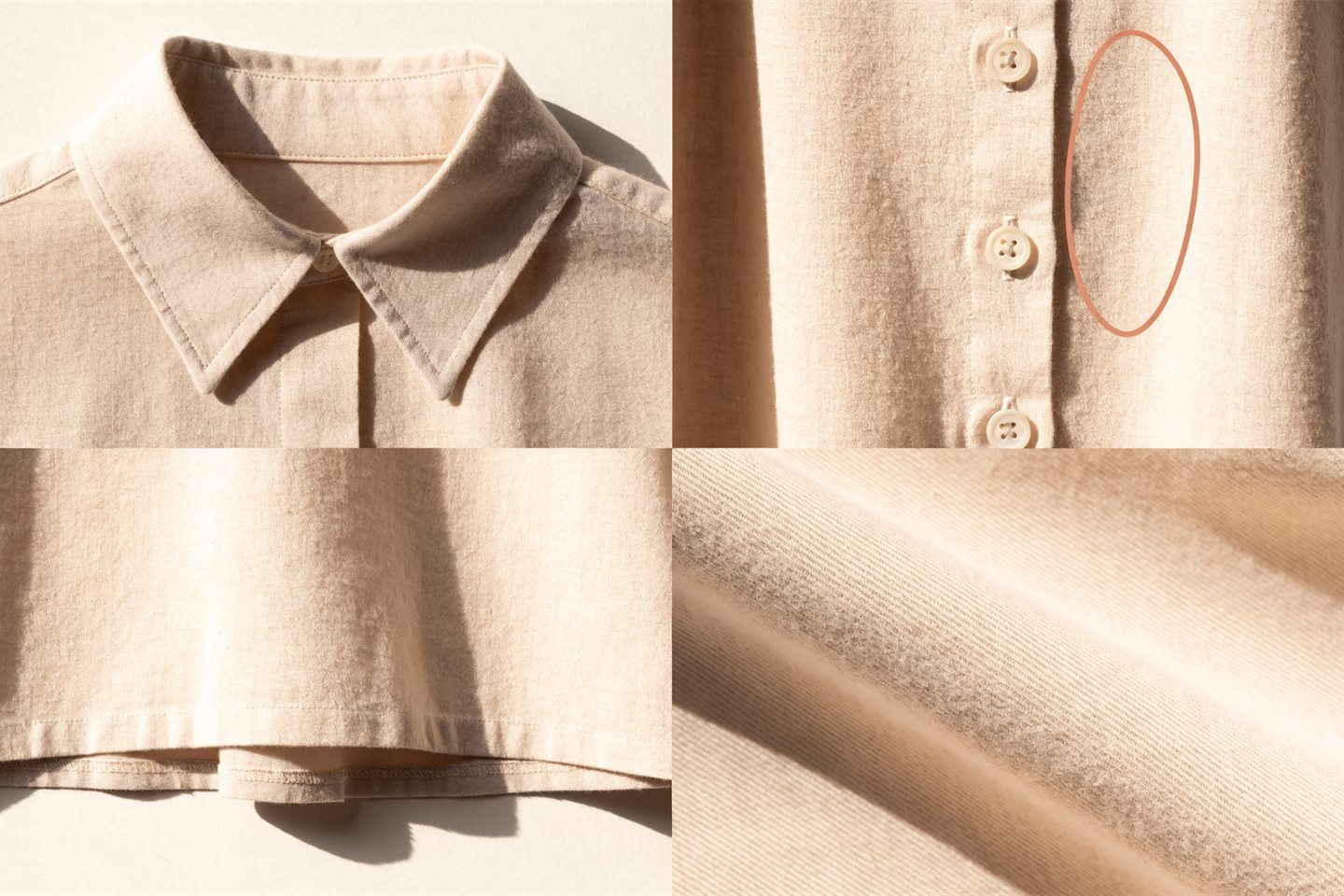
A clean photograph of the garment alone, with the whole item in frame. Flat, on a hanger, or on a plain background all work. What does not work is anything that hides part of the garment: a hand across the hem, a prop over the sleeve, a crop that cuts the length, or a shadow deep enough to read as a seam.
A generative model cannot recover information that is not in the photograph. Where it cannot see, it invents something plausible. Most disappointing try-ons trace back to the source image rather than the model, which is why we wrote a whole guide on what makes a good source photo.
How do you choose the model?
You pick from a fixed gallery rather than describing someone in a prompt. The gallery spans body types from slim to plus, across genders and ethnicities. Base models are on the free plan; every model including the premium ones is on each paid plan.
A gallery beats a prompt here for one practical reason: prompt-based generation is unpredictable, and re-rolling a bad result costs credits every time. Picking from a gallery means you see exactly who will wear the garment before you spend anything, and you get the same model back next time. You can also upload your own model image and reuse it across the catalogue.
Where does the still go next?
Two directions. Download it and use it as an image, in the product gallery, a social post, an email or a lookbook. Or carry the same generation into motion and publish it to the product page through a Shopify theme app block, or export it vertically for TikTok video ads.
How the two stages fit together is covered on the AI fashion model video page.
What virtual try-on does not do
- Non-wearables. Furniture, electronics, homeware. Videlia fits a garment to a body, so there is nothing for it to do here.
- Guarantee a usable result every time. Reflective fabrics, heavy sequins, sheer layers and very fine repeating prints stay genuinely hard. Expect to generate more than once and reject more than you keep on those.
- Replace a review step. Look at every output before it goes on a product page. You would do that with a photographer's contact sheet too.
About try-on stills.
How long does a try-on still take to generate?
Usually well under a minute. Generations run in a queue, so busy periods are slower, and the Pro plan includes a priority queue. A video takes longer than a still, which is one more reason to check the still first rather than waiting on a video to discover the fit was wrong.
How much does a try-on still cost?
One credit per still. The free plan includes ten credits a month, so ten try-on stills. A five second video costs three credits and a ten second video costs six, which is why generating the still first is the cheaper way to check a result.
Do I need to photograph the garment on a person first?
No. The input is a photograph of the garment on its own, flat or on a plain background. Videlia fits it to a model you pick from the gallery. You can also upload your own model image and reuse it across the catalogue.
Which products does virtual try-on work on?
Wearable products only: apparel, footwear and accessories. Videlia fits a garment to a body, so it does not work on furniture, electronics, homeware or other non-wearable categories.
Can I publish the try-on still to my product page?
The theme app block publishes video to the product page. Try-on stills download for use anywhere you need an image, including your product gallery, social posts and email.
What happens if a try-on comes out wrong?
Failed generations refund their credits to your balance automatically. If a try-on completes but the fit is wrong, the usual cause is the source photo rather than the model. Try a different photo of the same product before spending more credits.
A try-on that came back distorted usually has a fixable cause. Support lists them.
Ten try-on stills, on products you already sell.
The free plan is ten credits a month. Spend them on stills and you get ten looks at your own catalogue on a model before deciding anything.